For Email Routing you need to go to the "cPanel>Email>Email Routing" and perform following steps:

Firstly, choose your domain or if you have just one it will be set by default
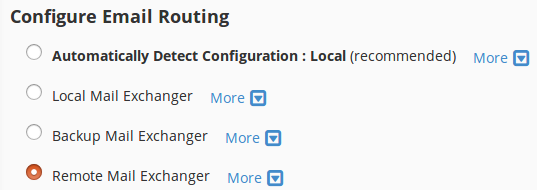
Choose one of this options to configure Email Routing:
Automatically Detect Configuration — The system uses the following criteria to configure the email routing settings
Local Mail Exchanger — The lowest numbered mail exchanger points to an IP address on this server.
Backup Mail Exchanger — The lowest numbered mail exchanger points to an IP address not on this server.
Remote Mail Exchanger — No mail exchangers point to an IP address on this server.
Click "Change" button to save changes
If you still need help, please contact our Support